

In today’s data-driven world, businesses generate vast amounts of information every second—customer behavior, sales numbers, website traffic, supply chain performance, and more. But raw data alone isn’t valuable until it’s analyzed and turned into insights. That’s where data analytics software comes in.
Data analytics software helps organizations collect, process, and interpret data to uncover patterns, predict trends, and support informed decision-making. Whether you run a startup, manage a retail store, or lead a global corporation, understanding how data analytics tools work is crucial to staying competitive.
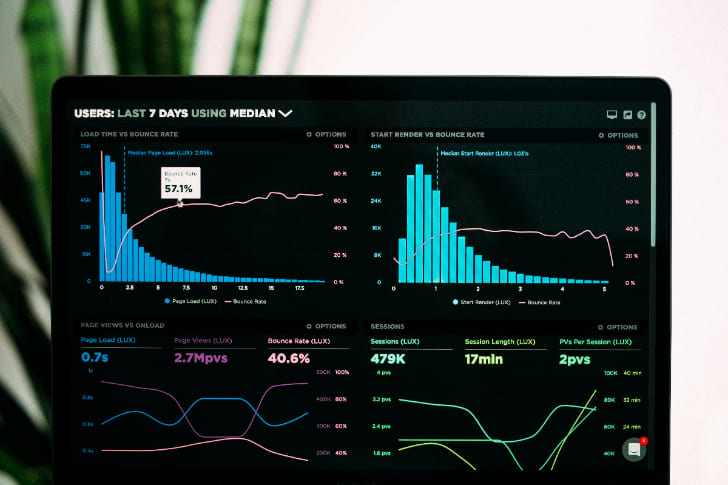
This article explores 10 essential things you must know about data analytics software.
1. What Is Data Analytics Software?
Data analytics software is a platform or tool designed to analyze large volumes of structured and unstructured data. It transforms raw data into meaningful insights that businesses can use to improve efficiency, reduce costs, and make smarter decisions.
Core functions include:
- Collecting data from various sources (databases, CRM, social media, sensors, etc.)
- Cleaning and preparing data for analysis
- Applying statistical models or algorithms
- Visualizing results through dashboards and reports
Example: An e-commerce company uses data analytics software to track customer browsing and purchase patterns. By analyzing this data, they optimize product recommendations and increase sales.
Key takeaway: Data analytics software is not just about crunching numbers—it’s about transforming information into actionable insights.
2. Types of Data Analytics
To understand analytics software, you must know the four main types of data analytics:
- Descriptive Analytics: Answers “What happened?” (e.g., monthly sales reports).
- Diagnostic Analytics: Answers “Why did it happen?” (e.g., identifying causes of customer churn).
- Predictive Analytics: Answers “What is likely to happen?” (e.g., forecasting future sales).
- Prescriptive Analytics: Answers “What should we do?” (e.g., recommending pricing strategies).
Example: A healthcare provider uses predictive analytics to identify patients at high risk of readmission and prescriptive analytics to recommend preventive care.
Tip: Choose software that supports the type(s) of analytics most relevant to your business goals.
3. Data Analytics Software Is Used Across Industries
Almost every industry now relies on data analytics to improve performance:
- Retail: Personalizing shopping experiences and managing inventory.
- Finance: Detecting fraud and assessing credit risk.
- Healthcare: Improving patient outcomes and optimizing hospital resources.
- Manufacturing: Predicting equipment failures and improving efficiency.
- Marketing: Understanding consumer behavior and optimizing ad campaigns.
Example: A logistics company uses analytics to track delivery times, fuel consumption, and traffic patterns, helping them reduce costs and improve service.
Key takeaway: Data analytics is not industry-specific—it’s a universal business advantage.
4. Features You Should Look For in Data Analytics Software
Not all data analytics software is created equal. When evaluating options, look for these key features:
- Data integration: Ability to connect with multiple sources (databases, cloud apps, APIs).
- Data visualization: Interactive dashboards, charts, and graphs.
- Machine learning and AI support: For predictive and prescriptive analytics.
- Scalability: Handles growing data volumes without performance issues.
- Collaboration tools: Enables teams to share insights easily.
- Security and compliance: Protects sensitive data and meets regulations (GDPR, HIPAA, etc.).
Example: A mid-sized business chooses Tableau for its visualization strengths and seamless integration with Excel and cloud data.
Tip: Match features to your business size, budget, and long-term goals.
5. Data Quality Matters More Than Quantity
Even the best analytics software cannot deliver useful insights without high-quality data. Poor data—duplicate records, missing values, or outdated information—leads to inaccurate results and flawed decisions.
Best practices for data quality:
- Regularly clean and validate data.
- Standardize formats across systems.
- Remove duplicates and inconsistencies.
- Ensure timely updates.
Example: A retail chain discovered mismatched customer IDs across systems. Once cleaned, analytics revealed accurate purchase histories, allowing for targeted loyalty programs.
Key takeaway: Good data in = good insights out.
6. Data Visualization Is a Game-Changer
Raw data in spreadsheets is hard to interpret. Visualization tools within analytics software transform complex datasets into charts, graphs, heatmaps, and dashboards that make insights easy to understand.
Benefits include:
- Faster decision-making
- Easier communication across teams
- Clearer identification of patterns and trends
Example: A sales manager uses a dashboard that highlights top-performing regions in green and underperforming regions in red, making it immediately clear where to focus resources.
Tip: Choose software with intuitive and customizable visualization features to make insights accessible for all team members.
7. Integration With AI and Machine Learning Is the Future
Modern analytics platforms are increasingly integrating artificial intelligence (AI) and machine learning (ML). These technologies allow systems to learn from data and make predictions without explicit programming.
Use cases:
- Predicting customer churn before it happens
- Recommending products based on browsing behavior
- Detecting fraud by spotting unusual patterns
- Forecasting supply chain disruptions
Example: Netflix uses AI-driven analytics to recommend shows based on viewing history, which is why over 80% of user activity comes from recommendations.
Key takeaway: AI and ML turn analytics into predictive and prescriptive powerhouses.
8. Security and Compliance Cannot Be Ignored
As organizations collect more sensitive data, security and compliance become critical. Data analytics software must safeguard information against breaches and comply with legal frameworks.
Key concerns include:
- Data encryption for secure storage and transmission
- Access controls to restrict sensitive information
- Compliance with laws like GDPR (Europe), HIPAA (healthcare), or CCPA (California)
Example: A healthcare provider using analytics software ensures all patient data is anonymized and encrypted to comply with HIPAA regulations.
Tip: Always verify a vendor’s security certifications and compliance policies before adoption.
9. Costs Vary Widely—Plan Your Budget
Data analytics software can range from free tools to enterprise-level platforms costing thousands per month.
- Free/low-cost tools: Google Analytics, Microsoft Power BI (basic version)
- Mid-range tools: Tableau, Qlik, Zoho Analytics
- Enterprise platforms: SAS, IBM Cognos, SAP BusinessObjects
Cost factors include:
- Number of users
- Data storage requirements
- Advanced features (AI, ML, integrations)
- Cloud vs. on-premise deployment
Example: A startup begins with Google Analytics for free web tracking, then upgrades to Tableau as data complexity grows.
Key takeaway: Start with what you need, but ensure scalability as your business and data grow.
10. Choosing the Right Data Analytics Software
Selecting the right tool depends on your goals, industry, and resources. Consider these steps:
- Define your objectives: Do you want better customer insights, operational efficiency, or predictive forecasting?
- Evaluate ease of use: Non-technical staff should be able to use it without advanced coding.
- Check integrations: Ensure compatibility with your current systems (ERP, CRM, etc.).
- Assess vendor support: Look for training, customer support, and community forums.
- Run a trial: Most vendors offer free trials—test usability and features before committing.
Example: A marketing agency chooses Power BI for its affordability, seamless integration with Excel, and ease of use for non-technical staff.
Tip: Involve both technical (IT/data teams) and non-technical (marketing, sales) stakeholders when selecting software.
Common Misconceptions About Data Analytics Software
- “It’s only for large corporations.”
Small businesses can also benefit—many affordable tools exist. - “Analytics gives instant answers.”
It takes time to set up, clean data, and refine processes. - “The software will do all the work.”
Human expertise is still needed for interpretation and strategic decisions. - “More data = better insights.”
Quality and relevance matter more than sheer volume.
Benefits of Using Data Analytics Software
- Improved decision-making based on real-time data.
- Increased efficiency by automating data collection and reporting.
- Better customer understanding through behavioral analysis.
- Cost reduction by identifying waste and inefficiencies.
- Competitive advantage by predicting trends before competitors.
Example: A manufacturing company reduces downtime by analyzing machine data and predicting maintenance needs—saving millions annually.
How to Get Started With Data Analytics Software
- Identify business questions you want to answer.
- Collect and clean data from multiple sources.
- Start with simple analytics before moving into advanced AI-driven models.
- Train employees to use the software effectively.
- Continuously monitor results and adjust strategies.
Tip: Begin with a pilot project—analyze one business area (like sales performance) before scaling analytics across the organization.
Conclusion
Data analytics software has become a cornerstone of modern business strategy. From tracking customer behavior to predicting future trends, these tools empower organizations to make smarter, faster, and more informed decisions.
By understanding the 10 key things about data analytics software, you can maximize its value:
- What data analytics software is and how it works.
- The four main types of analytics.
- Its applications across industries.
- Key features to look for.
- The importance of data quality.
- The power of visualization.
- Integration with AI and ML.
- Security and compliance essentials.
- Cost considerations.
- Choosing the right software.
When used effectively, data analytics software is not just a tool—it’s a strategic advantage that can transform the way your business operates and competes in the digital age.







Leave a Reply